 |
FaceGen
Modeller
Create 3D head meshes for animation and more. |
|
|
FaceGen
Modeller
Create 3D head meshes for animation and more. |
|
Generate 3D faces from one or more photos (or at random, or using 3D scan data):


... to ...
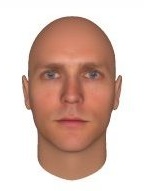
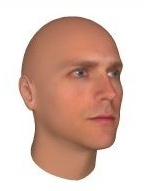

Modify faces using over 150 controls, including click-and-drag:
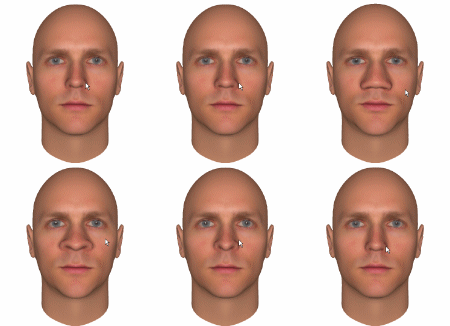

Apply a skin texture to the face you've created:
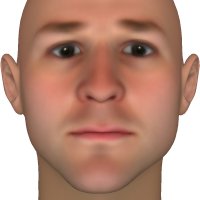 ... goes to ...
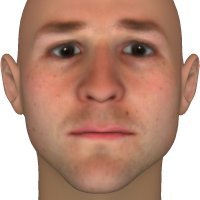


Apply expression morphs and accessory models. Modeller comes with over 110 morph targets (aka blendshapes) including the entire Facial Action Coding System (FACS). All expressions and accessory models are automatically adapted to each face:
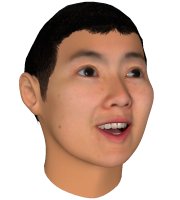

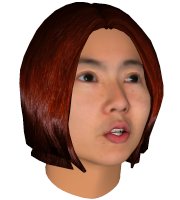
Export to Collada (DAE), Filmbox (FBX), 3D Studio (3DS), Maya ASCII (ma), Lightwave 6.x LWO2 (LWO), Wavefront (OBJ), Softimage dotXSI 3.0 (XSI), VRML 97 (WRL) or STL including all expression morph targets if desired.
Choose a default scale, rotation and translation for all your exports.
Export your texture maps to PNG, JPEG, TGA or BMP.
FaceGen Modeller runs on Windows 7/8/10/11.
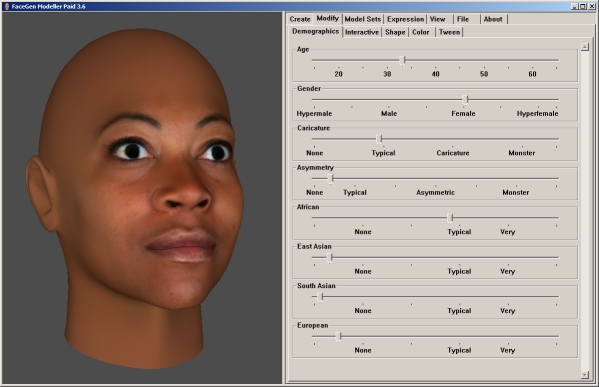
The Pro version adds all functionality found in Artist Pro and 3D Print Pro, numeric edit boxes for precise control of all sliders, export of all slider values to CSV file, and export of all face space basis co-efficients to CSV file.
| Demo (Free) | Core ($300) | Pro ($900) | Enterprise ($2,900) | |
| Export to 3D formats |  | | | |
| No logo on face | | | |
|
| Additional Model Sets & Hair | | | |
|
| CSV Exports and numeric edit boxes for all controls | | |
||
| Import face shape from meshes (eg. scan data) | | |
||
| 3D Print meshes (3D Print Pro) | | |
||
| Integration tools to add custom meshes | |
|||
| Command line automation for all functionality on Windows/MacOS/Linux | |
|||
| Ownership of exported models for distribution in a product | |
Upgrade: Email support@facegen.com with your purchasing name for a coupon.
Academic institutions: Get 4 seats for 1 purchase; use your institution's email address when purchasing.
Future upgrades: Future upgrades are free for 3 years from the date of purchase.